> ## Documentation Index
> Fetch the complete documentation index at: https://docs.goguava.ai/llms.txt
> Use this file to discover all available pages before exploring further.
# Twilio Elastic SIP Integration
> Connect a Twilio phone number to a Guava agent using Elastic SIP Trunking
**Looking for TwiML examples?** Check out our [Twilio Programmable Voice / TwiML guide](/guides/twilio-programmable-voice).
If you already own a phone number in Twilio and want to connect it to a Guava agent, you can do so using Twilio Elastic SIP Trunking.
## Create a Guava SIP code
Every SIP integration in Guava requires a `guavasip` code. `guavasip` codes are used to route inbound calls to agents — agents can listen to them and peers can dial them.
Open the [SIP page in the Guava dashboard](https://app.goguava.ai/dashboard/sip) and click **Create SIP Code**.
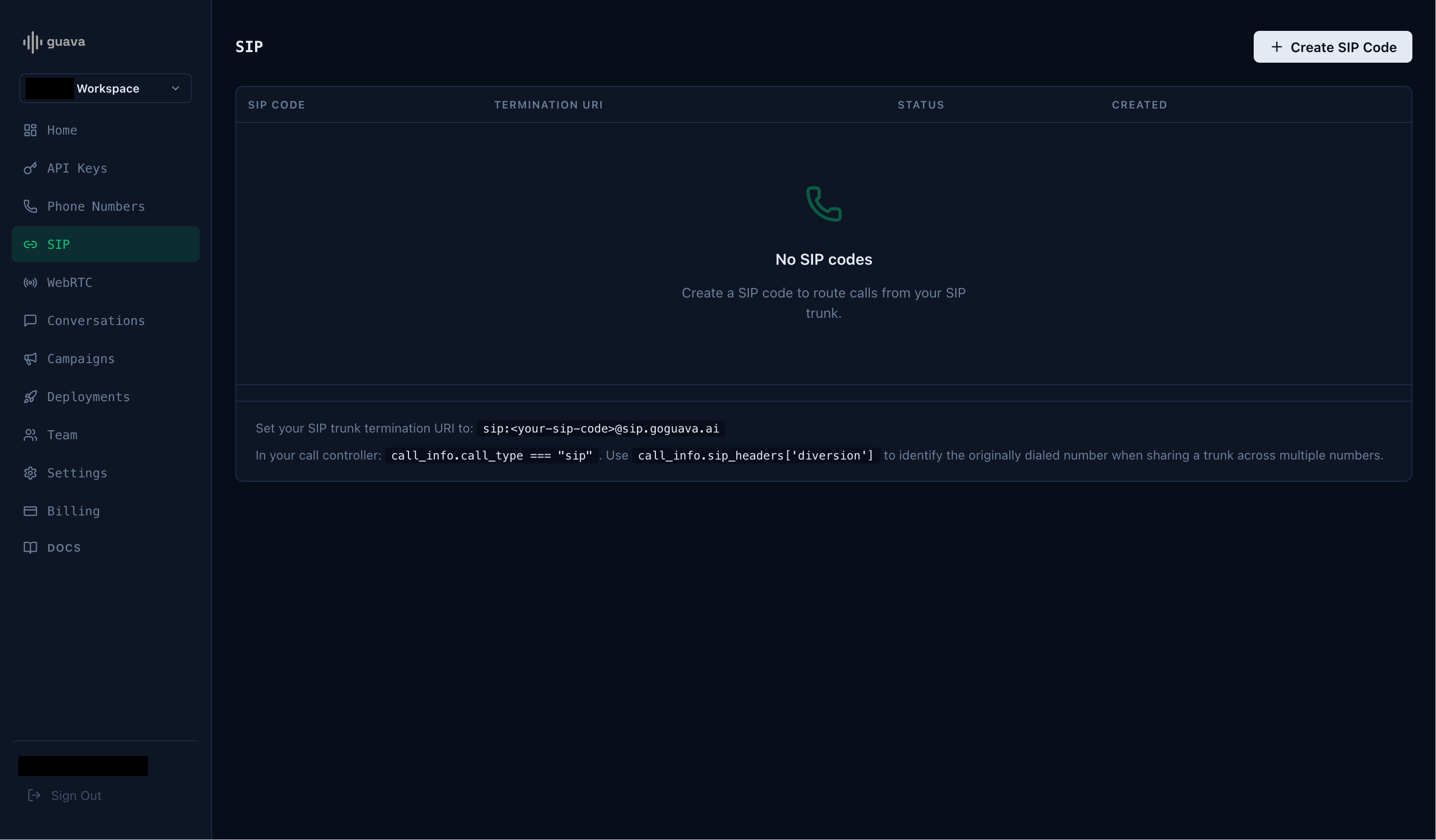 Take note of the SIP code and the termination URI.
## Create a Twilio Elastic SIP trunk
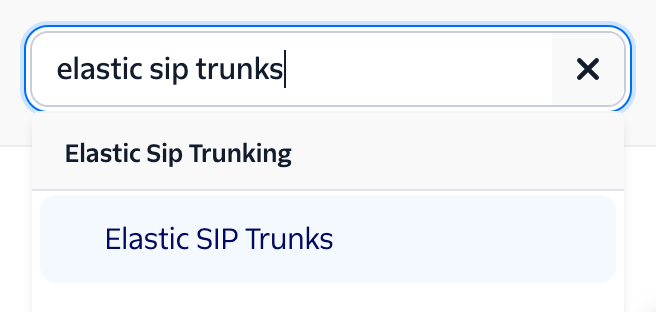
Navigate to the "Elastic SIP Trunks" page on your Twilio Console. You can find it using the search bar in the top right.
Take note of the SIP code and the termination URI.
## Create a Twilio Elastic SIP trunk
Navigate to the "Elastic SIP Trunks" page on your Twilio Console. You can find it using the search bar in the top right.
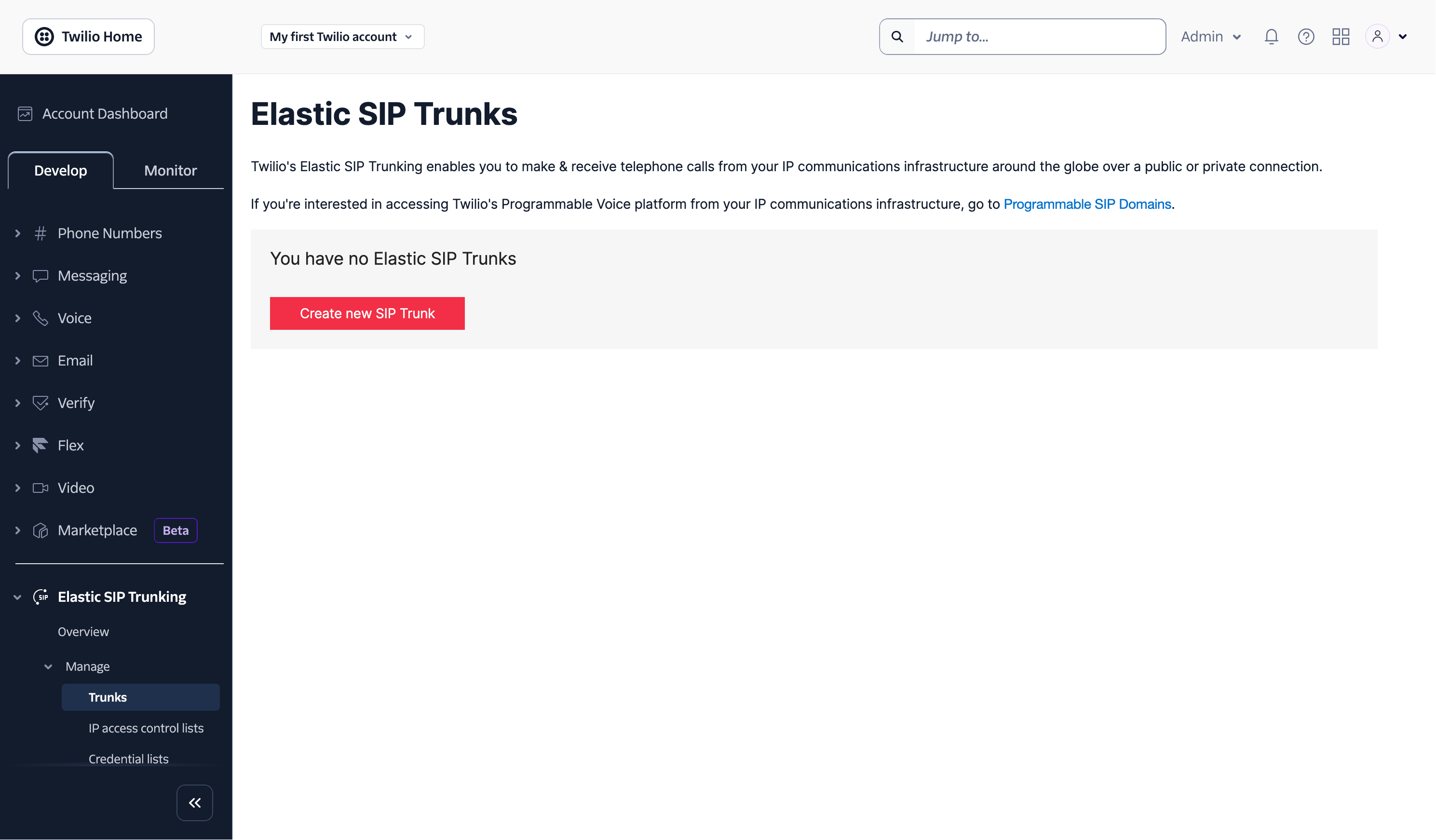
 Click **Create new SIP Trunk** and provide the trunk with a name.
 ## Set the Origination URI
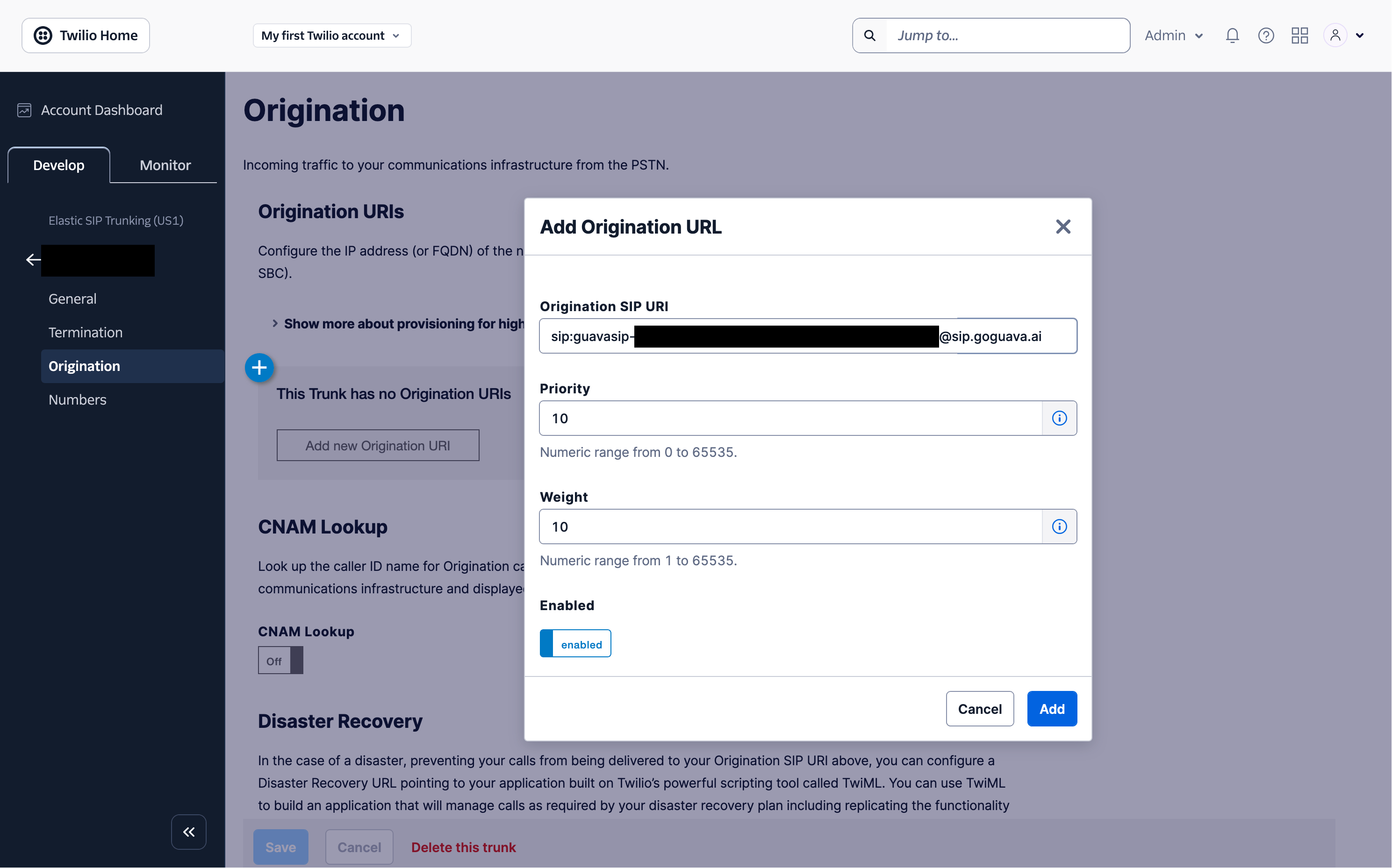
On the trunk's settings page, click **Origination** on the left hand side. Then click **Add new Origination URI** and enter your Guava termination URI (e.g. `sip:guavasip-xxx@sip.goguava.ai`). Then click **Add**.
## Set the Origination URI
On the trunk's settings page, click **Origination** on the left hand side. Then click **Add new Origination URI** and enter your Guava termination URI (e.g. `sip:guavasip-xxx@sip.goguava.ai`). Then click **Add**.
 ## Assign a number to the Trunk
Assuming you already have a number in your Twilio account, under the **Develop** tab, go to **Phone Numbers** > **Manage** > **Active Numbers** and select that number. Select **Configure with** and change that setting to **SIP Trunk**. Then select the **SIP Trunk** dropdown and select the SIP trunk you created earlier.
## Assign a number to the Trunk
Assuming you already have a number in your Twilio account, under the **Develop** tab, go to **Phone Numbers** > **Manage** > **Active Numbers** and select that number. Select **Configure with** and change that setting to **SIP Trunk**. Then select the **SIP Trunk** dropdown and select the SIP trunk you created earlier.
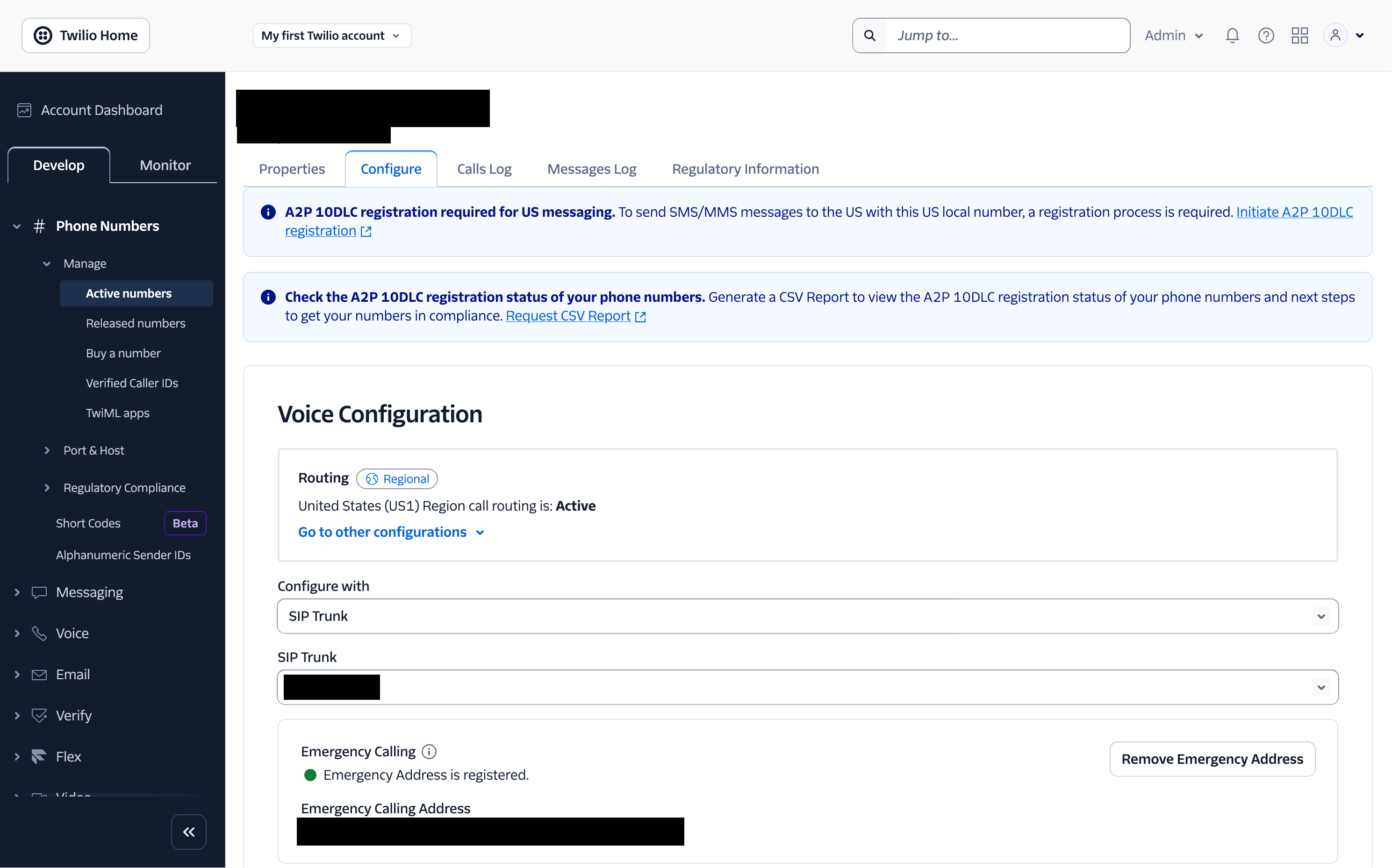 Finally, scroll down and click **Save Configuration**.
## Start an agent
Next, start an agent using `agent.listen_sip("guavasip-xxx")`. This is the SIP equivalent of `agent.listen_phone(...)` — Guava forwards every call addressed to that code to your agent.
```python main.py theme={null}
import os
agent = guava.Agent(
name="Nova",
organization="Acme Corp",
purpose="Handle inbound calls from the corporate PBX.",
)
# Register handlers — on_call_received, on_call_start, etc.
# Replace with your SIP code from the dashboard.
agent.listen_sip("guavasip-xxx")
```
## Call your number
Call your number and you should be able to reach your agent.
This documentation is built and hosted on [Mintlify](https://mintlify.com), a developer documentation platform.
Finally, scroll down and click **Save Configuration**.
## Start an agent
Next, start an agent using `agent.listen_sip("guavasip-xxx")`. This is the SIP equivalent of `agent.listen_phone(...)` — Guava forwards every call addressed to that code to your agent.
```python main.py theme={null}
import os
agent = guava.Agent(
name="Nova",
organization="Acme Corp",
purpose="Handle inbound calls from the corporate PBX.",
)
# Register handlers — on_call_received, on_call_start, etc.
# Replace with your SIP code from the dashboard.
agent.listen_sip("guavasip-xxx")
```
## Call your number
Call your number and you should be able to reach your agent.
This documentation is built and hosted on [Mintlify](https://mintlify.com), a developer documentation platform.