
Create a Guava SIP code
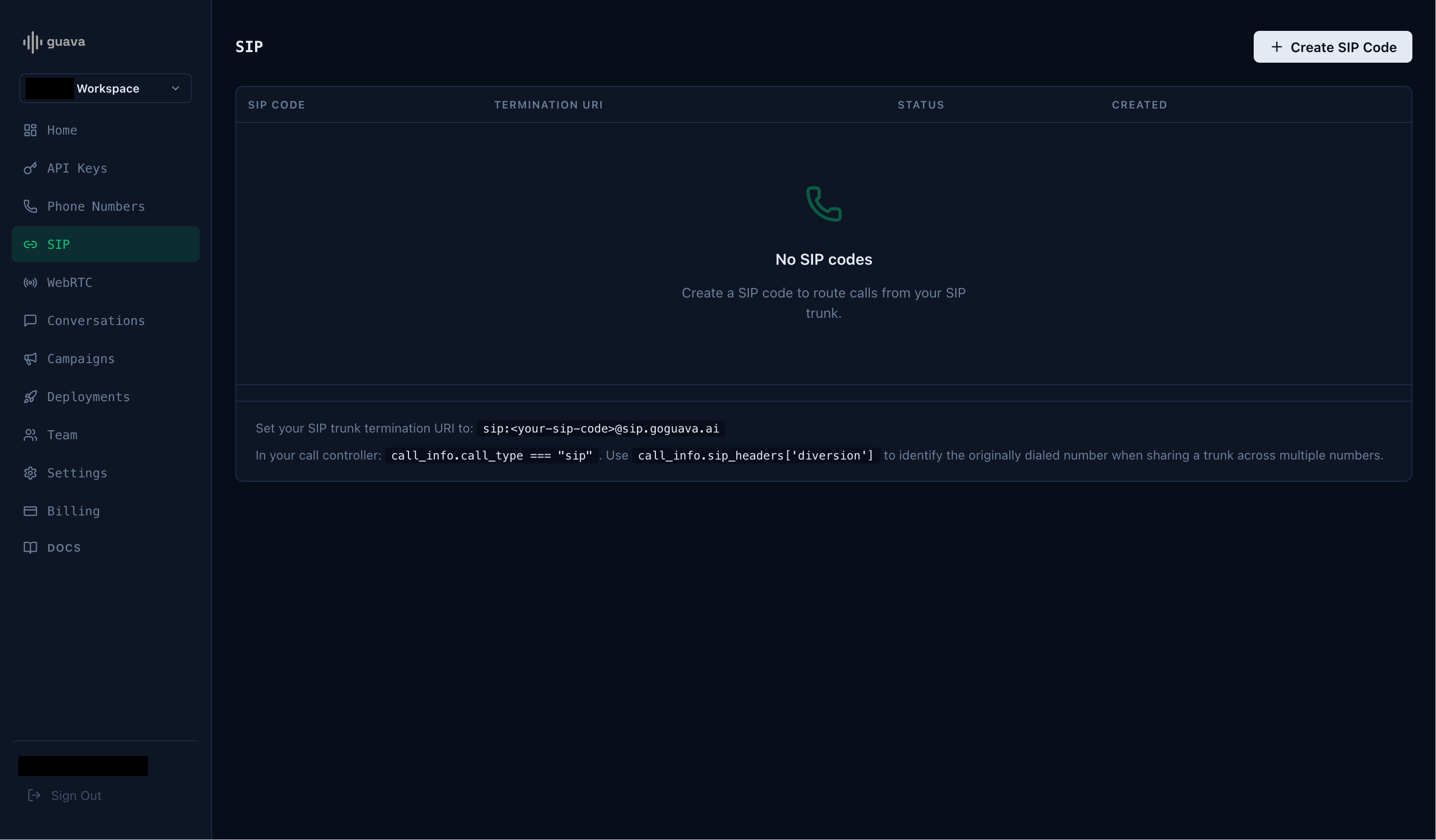
Every SIP integration in Guava requires aguavasip code. guavasip codes are used to route inbound calls to agents — agents can listen to them and peers can dial them.
Open the SIP page in the Guava dashboard and click Create SIP Code.
Create a Twilio Elastic SIP trunk
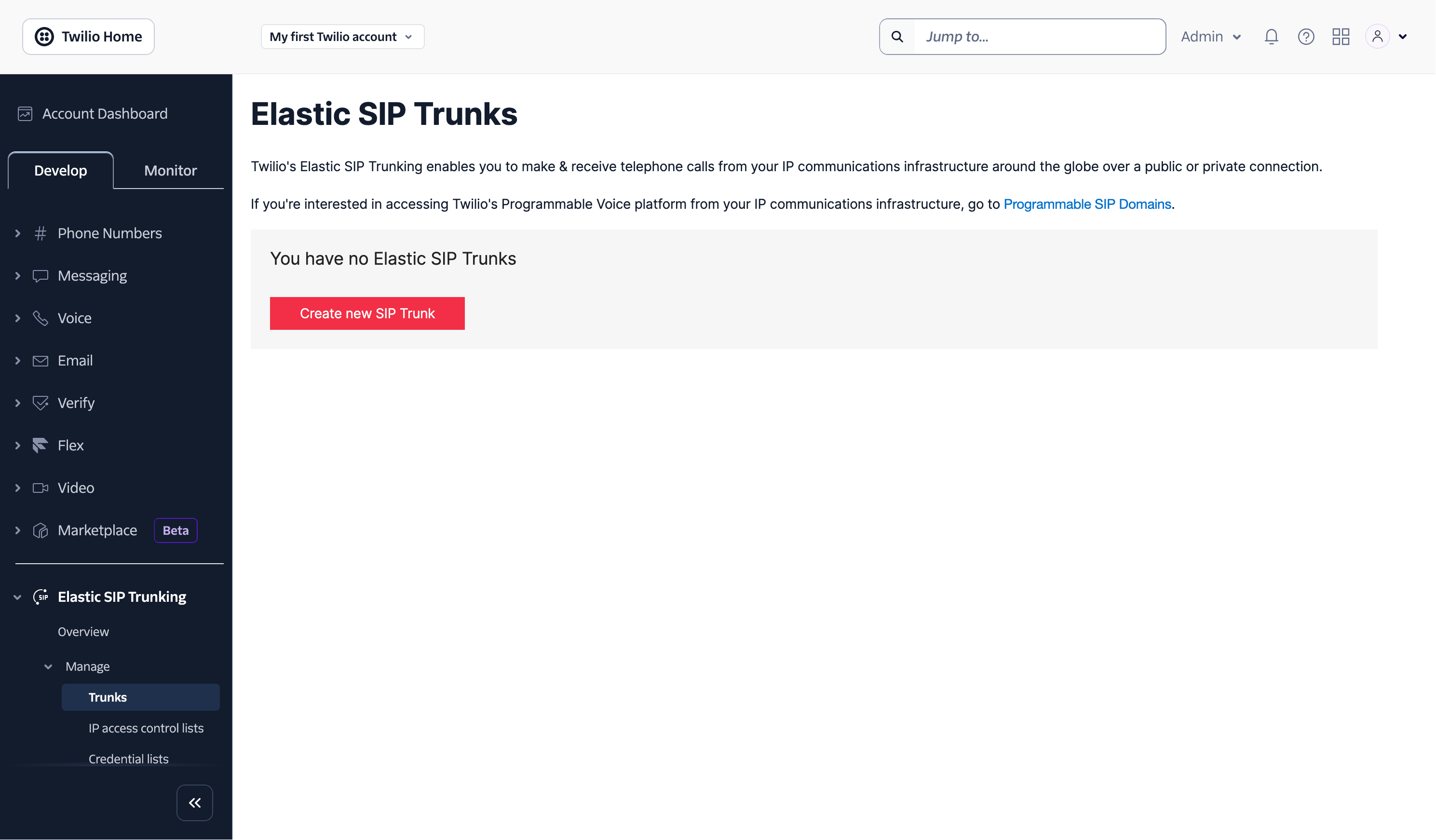
Navigate to the “Elastic SIP Trunks” page on your Twilio Console. You can find it using the search bar in the top right.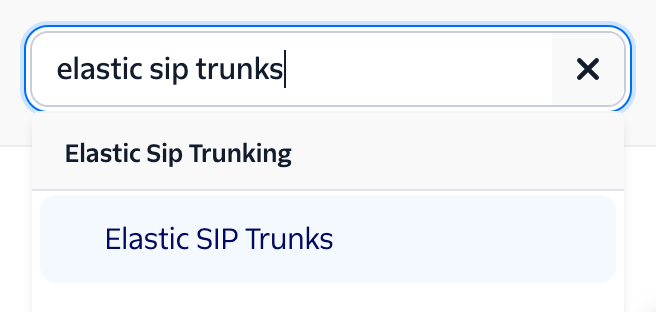
Set the Origination URI
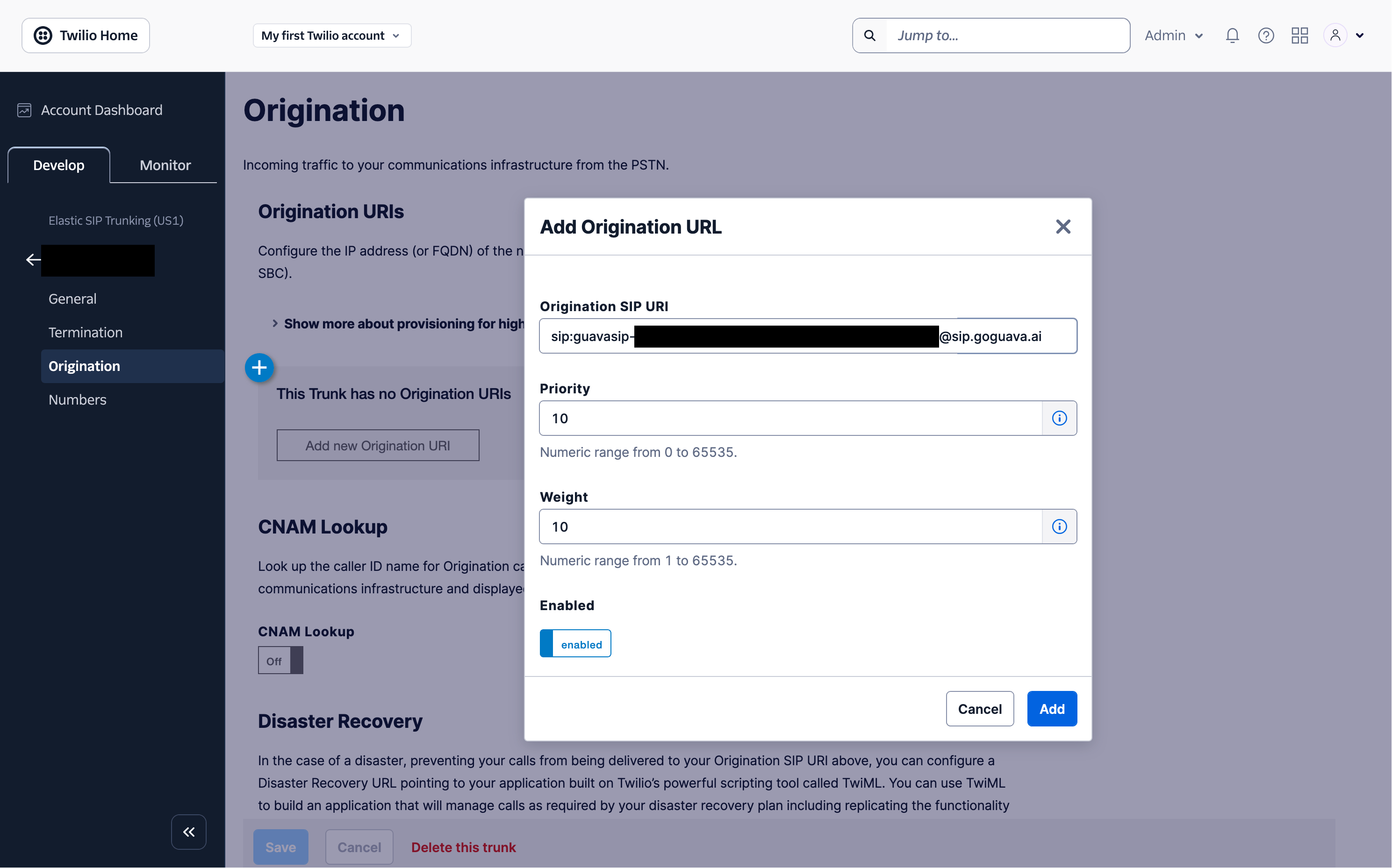
On the trunk’s settings page, click Origination on the left hand side. Then click Add new Origination URI and enter your Guava termination URI (e.g.sip:guavasip-xxx@sip.goguava.ai). Then click Add.
Assign a number to the Trunk
Assuming you already have a number in your Twilio account, under the Develop tab, go to Phone Numbers > Manage > Active Numbers and select that number. Select Configure with and change that setting to SIP Trunk. Then select the SIP Trunk dropdown and select the SIP trunk you created earlier.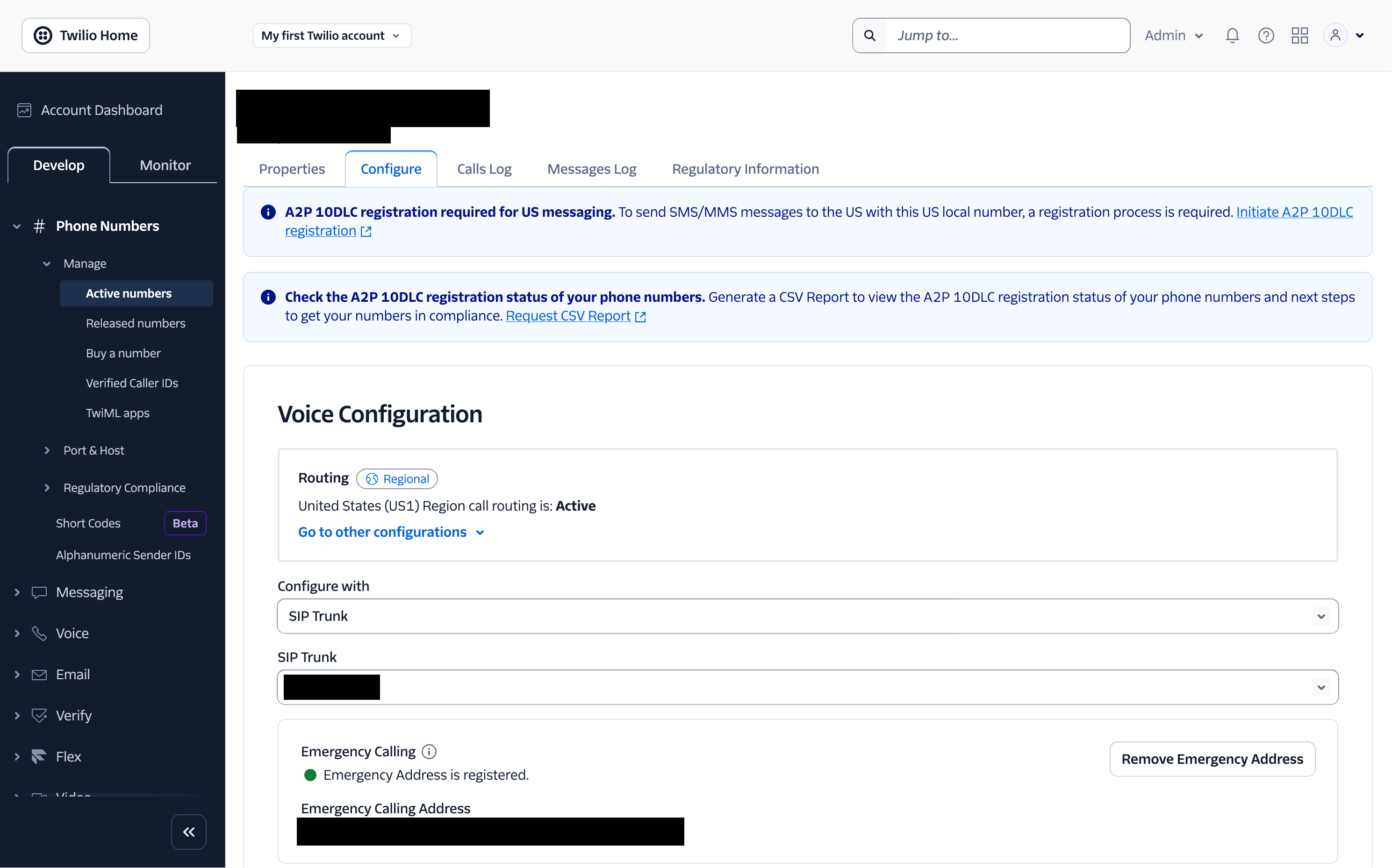
Start an agent
Next, start an agent usingagent.listen_sip("guavasip-xxx"). This is the SIP equivalent of agent.listen_phone(...) — Guava forwards every call addressed to that code to your agent.
main.py